For nearly two decades, Steam has been the place to be for PC gamers around the world. Thanks to its vast library of titles, regular sales and social aspects, not to mention the whole playing video games thing, Valve’s digital distribution service is king among other competitors. But despite being such a successful platform, there will still be problems and not every purchase works out. Your game may not work on your PC correctly, you may have accidentally bought the wrong version, and the worst part is that you did not have fun during playthrough. This is where Steam Refund Policy comes in and takes care of the consumers so that they can buy with full confidence. This post is going to be a full summary of the Steam Refund Policy.
Why the Steam Refund Policy is a Big Deal
Before Steam’s 2015 Refund Policy, the sale of a digital game was essentially “final”. If you purchased a digital game and decided that you did not like it or the damn thing didn’t even work on your system, you were essentially locked out. This uncertainty discouraged many consumers from purchasing any new or unknown product.
That situation, of course, was completely changed by the Steam Refund Policy, as the players could now demand a refund under specific parameters. They also minimized the risk of a digital purchase by uncertainty, and got more people downloading new indie games, pre-orders and early access titles because they knew that it would have a fail-safe fallback.
And in the case of the Steam Refund Policy, it earned trust in digital distribution and made them even more successful in gaming.
Read Also: Dick’s Return Policy: Here’s How to Get a Refund on Everything & Get Your Money Back
The Steam Refund Policy Core Rules
The Steam Refund Policy in a nutshell:
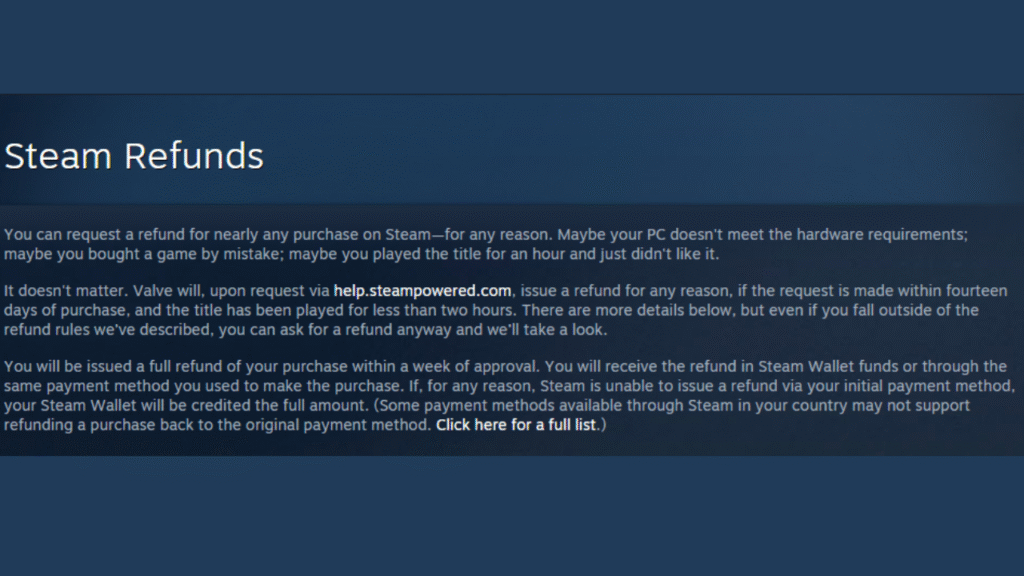
- You can request a refund for nearly any purchase on Steam as long as the request is made within 14 days of purchase, and you have played the title for less than two hours.
- You are able to request a refund within 14 days.
- The game lasted around 2 hours.
- If he sees the above two conditions, he approves your refund almost always without any grumble or inquiry. Valve refunds the same way; whatever you paid is refunded in any currency to your method of payment or to your Steam Wallet if it’s unable. Refunds typically take about a week.
- This policy applies to most covered purchases; of course, there are exceptions worth noting.
Refunds on Downloadable Content (DLC)
The same generally applies to downloadable content (DLC). If you buy some DLC for a game, and then decide you didn’t like the main product after 14 days, you may still likely request a Steam Refund Policy if:
- And I have not been able to play the base game for over two hours since that DLC was purchased.
- You didn’t eat, fuck, or move that DLC.
- It may declare some third-party DLC nonrefundable for ones that change the game permanently, where players can’t ever go back on such a deal, like say leveling up a character permanently. Steam does a very good job attaching labels to stuff like this before you check out.
Refunds on In-Game Purchases
In-game purchases are another category where reimbursement might have been applicable, but not without exceptions.
- For games made by Valve, such as Dota 2 or CS: GO, in game items can be refunded within 48 hours of purchase, so long as they have neither been consumed, modified, nor transferred.
- The same goes for third-party games that choose to participate in the refund program. When buying a new game on Steam, you’ll see whether it’s refundable at checkout.
- This flexibility has created an environment where developers can engage in consumer-friendly practices but still run a store that offers fair rules to everyone.
Read Also: Revolve Return Policy – Fast, Easy & Stress-Free Way To Get A Refund
Pre-Purchases and Early Access
- It’s normal for people to pre-order games nowadays and the Steam Refund Policy also covers it.
- In the event you pre-purchased a non-playable game, you may request a refund at any time before its release.
- The standard rule of two hours or 14 days applies when you begin the game.
- For Early Access titles, the 2-hour no-questions-asked refund period begins when the game is launched, not purchased.
- This model makes players feel comfortable pre-ordering, because nobody feels like they’re locked into a game that might release with surprises at launch.”
Steam Wallet Refunds
The same policy applies to Steam Wallet funds. You may cancel a wallet addition of funds within 14 days of it being added, providing none of the funds have been spent and you request your wallet to be reset.
This is great for those players who may have deposited with the intention of making a certain purchase but then had a change of heart.
Subscriptions and Renewable Content
And Steam does offer subscriptions for certain games or services. Refunds will be accepted within 48 hours of the time of purchase or renewal, provided that none of the content resulting from it has been used. After the content or benefits have been used, the subscription is considered to be in use, and it is no longer refundable.
You can, however, cancel an auto-renewal at any time so that there won’t be future charges.
Steam Hardware Refunds
In addition to software, Valve also sells hardware such as the Steam Deck, controllers and VR headsets. Returns will be subject to another Hardware Refund Policy that does have a return period of 14 days for the return to be accepted when you turn it in at a store.
Read Also: Menards Return Policy: Time frames, Rules, and Customer Hacks
Refunds on Bundles
Bundles are common in Steam sales, and the steam refund policy applies to them as well. If no items in the bundle have been transferred to your inventory, you can submit a refund request for the purchase if all the games and applications included in the bundle have a cumulative playtime of less than two hours.
If there is a non-refundable item inside the bundle, Steam Refund Policy will tell you if the entire package is eligible for refunds.
Shortcomings of the Steam Refund Policy
The system has its own generosity but also constraints:
- Video content (movies, series, tutorials) cannot be refunded unless included in refundable bundles.
- You aren’t protected for non-Steam purchases (like retail CD keys or wallet cards).
- Refunds if you have VAC bans on your account. Sadly, there are no refunds for items that were purchased when the ban was applied to the game.
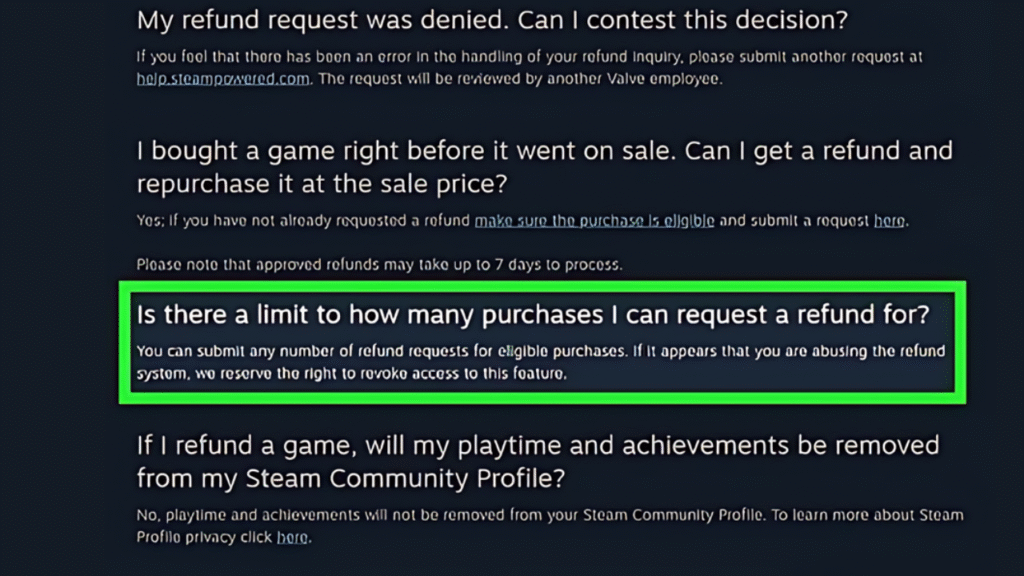
- When refund abuse is suspected, we reserve the right to refuse refunds.
- These restrictions mean the system stays fair and viable for players as well as developers.”
Requesting a Refund.Opacity into the Process of Requesting a Refund
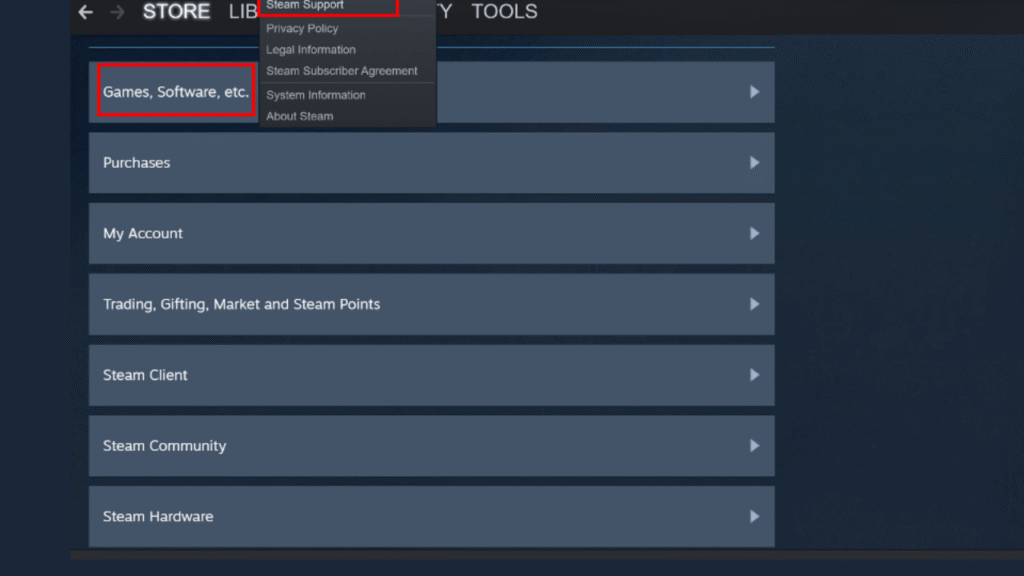
Here’s how to get a refund on Steam Refund Policy:
- Visit help.steampowered.com.
- Log in to your Steam account.
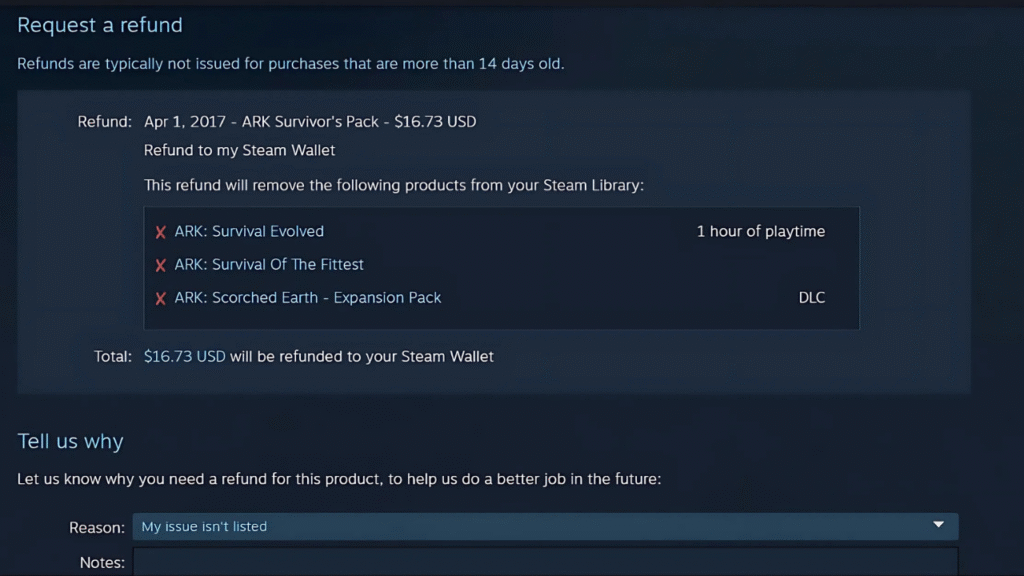
- Choose the game or purchases you would like to refund.
- Click “I want a refund.”
- Click through the prompts to request yours.
- Valve usually acts promptly, and most Steam Refund Policy take no more than a week to be in your account.
The Bigger Picture: What This Gets Right
The Steam Refund Policy is actually quite impressive from a consumer rights point of view. The former also protects consumers from getting burned by defective games or by a game that just is not what they want. On the flip side, it wards off abuse with harsh but just rules.
The Steam Refund Policy also has ramifications for the wider industry:
- Higher consumer confidence: Gamers are willing to try something new.
- Upshot for Developers: Creators are incentivized to produce good games because you can always refund broken ones.
- Market health: Lowering buyer uncertainty keeps the market working as intended.
After 15 years of parsing gaming platforms, I can say with certainty that this refund system has become standardized across many other digital storefronts.
Tips to Gamers That Use the Steam Refund Policy
- Keep your playtime in check: If you’re not sure about a game, stay under two hours.
- Feel free to ask: If you’re only a little outside the rules, Valve will generally reconsider requests on a case-by-case basis.
- Stop abusing the system: Utilizing refunds that really belong to you can lead to restrictions being placed on your account.
- Look for nonrefundable items: Be sure to read a store’s page carefully before buying, especially if you’re purchasing DLC or bundles.
Conclusion
If anything, the Steam Refund Policy is among the friendliest out there for digital gaming, at least. Kalanick and some of his allies tied to that company have accused the ride-hailing firm of pursuing an illegal plan to push Uber out of India, where yellow cab riders turned Singapore-based Digital Inspiration into a smartphone app service last year, leaving its owner facing more than 300 court cases. Whether you’re buying something with a lot of hype, picking up an indie emblematic of this year and the next big sale, or just want to hedge your bets on that bundle you were never sure about in the cart anyway, refunds allow for worry-free shopping when things don’t work out.
In an industry that is constantly evolving, few rules and regulations have actually helped consumer confidence as much as market expansion. Having spent over 15 years watching platforms evolve to better serve what customers want, let me assure you that the Steam Refund Policy isn’t so much protection as it is a foundation of modern digital distribution.
Read Also: Revolve Return Policy Summary: What Is Revolve’s Return Policy?
FAQs
Q1. How long does it take to Steam Refund Policy ?
Refunds on Steam are issued within a week of approval. If your refund is not granted, the purchase will be added to your Steam Wallet.
Q2. Is it possible to return to the game after playing for 2 hours?
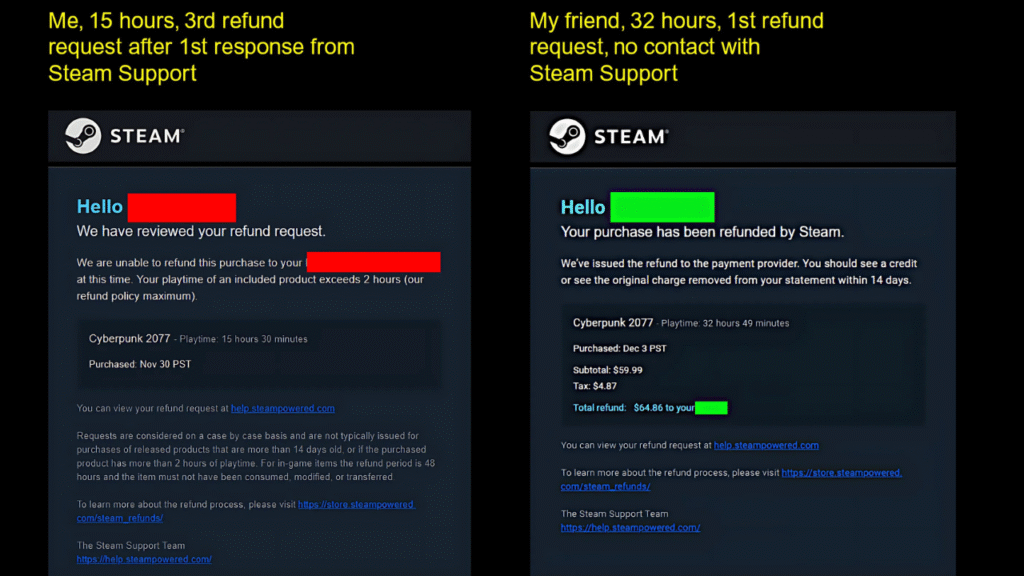
According to the Steam Refund Policy (official), you have 2 hours. But even if you’ve played longer, you can still ask for a refund. Valve goes through such requests and checks on a case-by-case basis; approval is not guaranteed.
Q3. Two weeks are up, can I get a refund on my game?
Not usually, refunds are only available within the first 14 days from the purchase date. That being said, you can still ask for one and Valve sometimes makes exceptions in extenuating circumstances, like if the game is broken or you’re experiencing technical problems.
Q4. Can I refund a gifted game?
Yes. Unclaimed gifts will be returned to the sender after the standard 14-day / two-hour expiration. If the gift has already been claimed by the recipient, only the recipient may request a refund and funds will be returned to the original payment method.
Q5. Are DLCs refundable on Steam?
Yes, if you have bought the DLC under 14 days ago and played it less than two hours in total, then it hasn’t been eaten, modified or transferred. But some 3rd-party DLCs might be non-refundable; however, it’s also explicitly marked on Steam before you buy.
Q6. Can I refund in-game purchases?
For games from Valve itself: Refunds are available within 48 hours of the original purchase if you haven’t consumed, modified, or transferred the title.
Q7. What if I abuse the refund policy?
Valve might block your ability to get a refund if it thinks you’re fucking around, like purchasing and then refunding many games so that you can play for free.
Q8. Can I return a movie/video on Steam?
No, movies, shows and tutorials purchased from the Steam Store are not refundable. If a bundle includes a refundable game but also comprises non-refundable games like movies and some other purchases, a statement specific to your chosen payment method, which has been removed, will not qualify for additional wallet credit.
Q9. Can I get a Steam Wallet refund?
Yes. If you’ve purchased Steam Wallet funds, you can request a refund for the full amount within 14 days, provided none of it has been spent.
Q10. How can I get a Steam Refund Policy?
You can reach out for a refund by going to help. steampowered. com, logging in to your account, choosing the game or item and clicking “I would like a refund. From there, just follow the instructions to request your card.