In India, Swiggy is amongst one of the most popular food delivery platforms there to order online food, ordering food at your doorstep has become like a daily thing in our lifestyle else we are from outside India. But there are times when things do not go our way. You get the wrong product, missing products in your order, delayed delivery or payment not received. So, in these circumstances, it is good to know the swiggy refund policy as it can save you a lot of time and energy.
Here is a friendly and fair swiggy refund policy which will cover all the areas from both the perspective of the customer side as well as restaurant, delivery partner and customers. If you have ordered food, groceries through Instamart or anything from Genie, knowing how refunds work can help in resolving the issues sooner. In this guide, we are going to break down the new Swiggy refund policy in easy-to-understand terms for others like you looking for some answers with respect to their eligibility for a refund, their order cancellation rules, processing times, and aforementioned points amongst others.
What Is the Swiggy Refund Policy?
Swiggy refund policy deals with total or partial refund at the doorstep of customers. Swiggy usually handles each ticket individually to see if any refund, coupon or wallet credit need to be issued.
Food products differ from traditional e-commerce goods since foodstuffs are also perishable. This means Swiggy offers no-return policy for the bulk of food orders. Rather, customers are eligible for compensation if the issue is in pre-approved categories.
Read More: Flipkart Refund Policy | Amazon Refund Policy
Common Situations Covered Under the Swiggy Refund Policy
- Wrong order delivered
- Missing items in the order
- Damaged or tampered packaging
- Food quality concerns
- Order not delivered
- Payment deducted but order failed
- Restaurant cancellation
- Significant delivery delays
- Item unavailable after payment
Quick Overview of Swiggy Refund Policy
| Particulars | Details |
| Refund Eligibility | Wrong, missing, damaged, or undelivered orders |
| Cancellation Allowed | Limited; depends on order status |
| Refund Method | Original payment source or Swiggy Money |
| Refund Time | Usually 2 hours to 7 business days |
| Proof Required | Photos/screenshots may be requested |
| Return Policy | Not applicable for most food items |
| Support Availability | In-app Help & Customer Support |
Note: Refund decisions are made on a case-by-case basis.
When Are You Eligible for a Refund?
According to the Swiggy refund policy, customers can get a refund only when certain conditions are met.
1. Wrong Order Delivered
Suppose you ordered a Paneer Butter Masala, and they sent you a Dal Makhani through the app then in that case, you may complain. Depending on the issue, Swiggy tries to cover full / partial refund.
2. Missing Items
Of these, missing items are one of the most frequent complaints. If your order has two drinks and only one ordered then it can be reported in real time.
3. Damaged Packaging
In case the food comes with broken seals, leakage, and visibly opened packs, reject delivery whenever possible and file a complaint.
4. Order Not Delivered
If at any point, the app shows an order delivered but you have not received it, there is a Swiggy refund policy that the customers can take advantage of after proper verification.
5. Payment Failure
In some cases payment is deducted from your bank account despite the failure of your order process. Normally in these cases, Swiggy itself does an auto refund.
6. Restaurant Cancellation
A full refund is usually automatically initiated if the restaurant cancels your order due to item unavailability or operational issues.
Situations Where Swiggy May Deny Refunds
Not every complaint qualifies under the Swiggy refund policy. Refund requests are commonly denied in the following cases:
- Change of mind after delivery
- Personal taste preferences
- Delayed complaints submitted days later
- Incorrect delivery address provided by the customer
- Multiple suspicious refund claims
- Cancellation after food preparation has started
For example, saying “I did not like the taste of the biryani” usually does not qualify for a refund unless there are quality concerns.
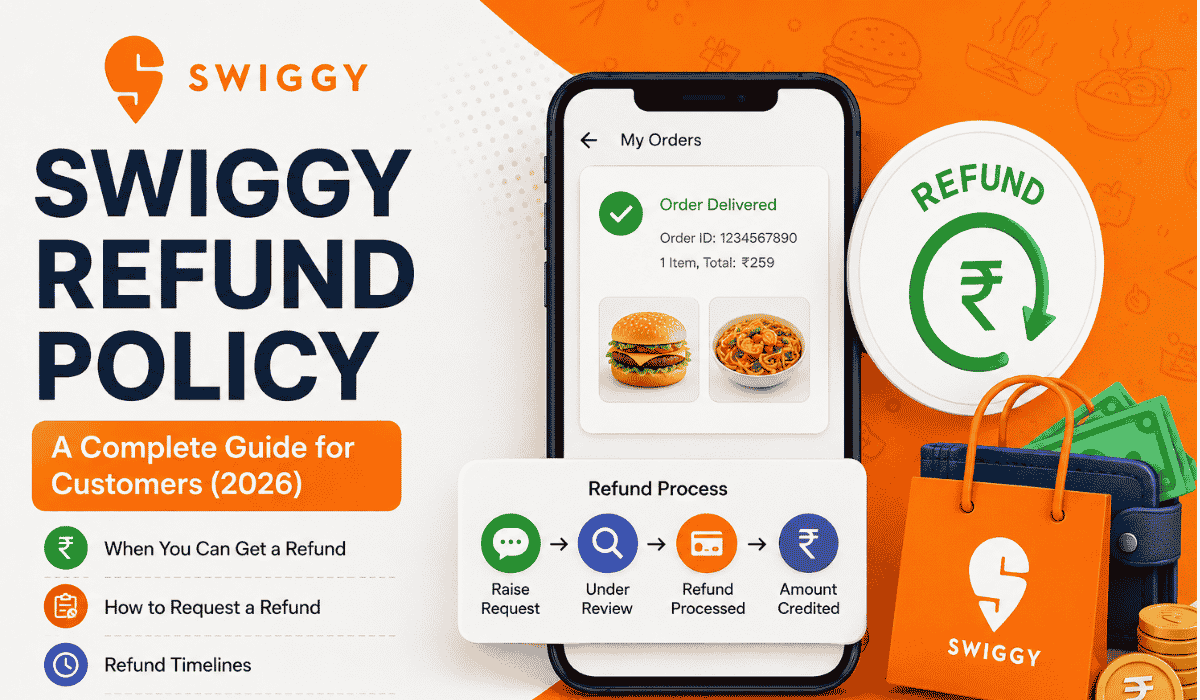
How to Request a Refund on Swiggy
Requesting a refund is simple and can be done directly through the app.
Step 1: Open the Swiggy App
Log in to your account and go to “Orders.”
Step 2: Select the Relevant Order
Tap on the order that has the issue.
Step 3: Click “Help”
You will find a “Help” or “Need Assistance” option.
Step 4: Choose the Problem
Select one of the following:
- Missing item
- Incorrect order
- Food quality issue
- Order not delivered
- Payment issue
- Other concerns
Step 5: Upload Evidence
Attach photos if the issue involves damaged packaging or incorrect items.
Step 6: Submit the Complaint
Swiggy’s support team reviews the request and provides a resolution.
Swiggy Refund Timeline
The refund time depends on your payment method.
| Payment Method | Estimated Refund Time |
| UPI | 5-7 Business Days |
| Debit Card | 5-7 Business Days |
| Credit Card | 5-7 Business Days |
| Net Banking | 5-7 Business Days |
| Paytm Wallet | Within 2 Hours to 5 Days |
| PhonePe Wallet | 5-7 Business Days |
| Swiggy Money | Instant or within 24 Hours |
| LazyPay | Around 2 Hours |
Please note that banks may take additional time to reflect the amount in your account.
Swiggy Cancellation Policy
The Swiggy refund policy is closely linked to its cancellation policy. Generally, customers cannot cancel an order once the restaurant starts preparing it. In some cases, cancelling after order confirmation may result in a cancellation fee or no refund.
Customer Cancellation
- Cancellation before preparation may be allowed.
- Cancellation after preparation can attract charges.
- Prepaid orders may not be refunded fully.
Non-Customer Cancellation
Swiggy may cancel orders due to:
- Restaurant closure
- Item unavailability
- Delivery issues
- Technical problems
In these cases, customers are usually eligible for a full refund.
Swiggy Instamart Refund Policy
Swiggy Instamart follows slightly different guidelines because it includes groceries and household items.
Refunds or replacements are commonly offered for:
- Expired products
- Damaged items
- Wrong products
- Missing items
- Defective electronics
Customers are advised to report Instamart issues as soon as possible and retain original packaging until the matter is resolved.
Read More: Meesho Refund Policy | Walmart Return Policy
Tips to Increase Refund Approval Chances
To improve your chances of receiving compensation under the Swiggy refund policy, follow these tips:
- Report issues immediately.
- Take clear photos.
- Explain the problem politely.
- Keep screenshots of payment confirmation.
- Avoid submitting false claims.
- Use the in-app support system first.
Quick and accurate reporting often results in faster resolutions.
Customer Experiences With Swiggy Refunds
Customer experiences vary. Many users receive refunds promptly, while others report delays or receiving coupons instead of cash refunds. Community discussions suggest that some refund decisions depend on the nature of the complaint and previous account activity.
Some users have shared experiences where:
- Missing items resulted in partial refunds.
- Incorrect orders were compensated with Swiggy coupons.
- Wallet credits were issued instantly.
- Escalations through support helped resolve disputes.
While experiences differ, maintaining proper documentation significantly improves outcomes.
Can You Get Cash Instead of Swiggy Coupons?
Yes, in many cases, refunds are credited back to the original payment method. However, Swiggy may occasionally offer:
- Swiggy Money
- Discount coupons
- Promotional credits
The type of compensation depends on the issue and Swiggy’s internal review process.
What Should You Do If Your Refund Is Delayed?
If your refund has not arrived within the expected timeline:
- Check your bank statement.
- Review your Swiggy wallet balance.
- Contact Swiggy support.
- Keep the order ID ready.
- Escalate through email if required.
Most delays are caused by banking processes rather than Swiggy itself.
Important Things to Remember
Before requesting a refund, keep these points in mind:
- Food orders generally cannot be returned.
- Refunds are not guaranteed in every case.
- Supporting evidence improves approval chances.
- Refund timelines vary by payment method.
- Customer complaints should be raised promptly.
Understanding the Swiggy refund policy helps customers make informed decisions and resolve issues efficiently.
Conclusion
Swiggy refund policy is quite simple once the rules are clear. From a missing order, unavailability of your order with delivery delayed, to payment issues or ordering the wrong item there are several scenarios where you could benefit from Swiggy and for this purpose, the platform offers many ways to get help. Remember: report problems as they arise, provide detail and use the support options built into the app. Not every complaint ends in a refund necessarily, but complaints over real issues get resolved usually through refunds, trade-in wallet credits or compensation. Furthermore, with the online food ordering in India reaching new heights, keeping track of Swiggy refund policy can only help make your food ordering experience simpler and bolster your confidence.
FAQs About Swiggy Refund Policy
1. How long does the Swiggy refund policy take to process refunds?
Most refunds are processed within 2 hours to 7 business days, depending on the payment method used.
2. Can I get a full refund under the Swiggy refund policy?
Yes. Full refunds are generally available for undelivered orders, restaurant cancellations, payment failures, and major order issues.
3. Does Swiggy allow returns on food items?
4. What should I do if my Swiggy order shows delivered but was never received?
4. What should I do if my Swiggy order shows delivered but was never received?
Open the order details in the app, select “Help,” and report the issue immediately for verification and possible compensation.
5. Can Swiggy provide coupons instead of money?
Yes. Depending on the case, Swiggy may offer Swiggy Money, discount coupons, or refunds to the original payment source.